














Top Web Design Trends, Standards, and Predictions for the year 2026

Web Design Trends, Standards, and Predictions for the year 2026

Web design trends evolve quickly like Technology. Website Design components and website features that were once cutting-edge and novel may now appear dated, overused, and clichéd. Any person wouldn’t want to lose conversion as visitors visits their website. And, just because their site appears obsolete or breaks important web standards, such a website will never generate leads.

Thankfully, our best Web Design Company stays on top of all the most recent trends in website design to produce highly functional, user-friendly websites that work well and look amazing. We wish to offer some of the most recent technological advancements, trends, and predictions for 2026.

List of Top 30 Website Design Trends and Next Year Predictions

There are some of the components of web design that will always be relevant like a user-friendly navigation system, data security, and quick load times. This should come as standard on your website. Including some of these cutting-edge website features and aspects, which are predicted to be popular in 2026, may help you maintain your site’s position at the top of search engine results and in terms of design.

1) Parallax Scrolling

Parallax scrolling is a technique in web design and computer graphics where the background images move slower than the foreground elements, to create the illusion of depth and distance. This effect creates immersive, visually interesting experiences for website visitors.

To implement parallax scrolling, designers typically use a combination of HTML, CSS, and JavaScript. In HTML, the designer will create a series of layers, each containing a different image or group of elements. Designers position these layers in the document using CSS, with the background layers further back in the stacking order than the foreground layers.

JavaScript will help in achieving the movement of the layers. This listens for scrolling events on the webpage and adjusts the position of each layer accordingly. The speed at which each layer moves can be adjusted. This allows the designer to control the overall effect of the parallax scrolling.

Parallax scrolling can be a powerful tool for creating engaging and immersive web experiences. But, if it is overused or implemented poorly, will result in a distracting or cluttered design. As with any design technique, it’s important to use parallax scrolling judiciously and in a way, that enhances the overall user experience.

2) Smart Content Loading

Smart content loading is a technique used in web design and development to optimize the loading of content on a webpage. The goal of smart content loading is to improve the user experience by reducing the amount of time it takes for a webpage to fully load and become usable. This also reduces the amount of data that is transferred from the server to the user’s device.

There are several approaches to smart content loading, including lazy loading, infinite scrolling, and prioritizing the loading of above-the-fold content.

  • Lazy Loading

Lazy loading is a technique where content is only loaded when it is needed or when the user scrolls to it. This can be particularly useful for websites with a large amount of content. This allows the user to only load interesting content, rather than loading everything at once. Lazy loading can be implemented using JavaScript. This listens for scrolling events and only loads content when it becomes visible in the viewport.

  • Infinite Scrolling

Infinite scrolling is a technique where new content is automatically loaded as the user scrolls down the page, creating the illusion of a never-ending page. This can be a convenient way to present content. But it will have negative impacts on the user experience without proper implementation.

  • Prioritizing the loading of above-the-fold content

Prioritizing the loading of above-the-fold content is a technique where the content that is visible to the user when the page first loads are prioritized over content that is further down the page. This can help to improve the user experience by making the page feel more responsive and usable sooner. This technique can be implemented using a combination of HTML, CSS, and JavaScript, with the above-the-fold content being given a higher priority in the loading order.

Overall, smart content loading is a useful technique for optimizing the loading of content on a webpage and improving the user experience. By carefully considering the loading order and prioritizing the most important content, designers and developers can create a more seamless and enjoyable experience for website visitors.

3) Website Page Speed & Load Time

Website load time and page speed are important factors to consider when designing and building a website. The speed at which webpage loads can have a significant impact on the user experience, as well as on the overall performance and success of the website.

Several factors can affect website load time and page speed. Such factors include the size and number of assets (such as images and videos) on the page, the complexity of the HTML, CSS, and JavaScript code, and the performance of the server hosting the website.

To improve website load time and page speed, designers and developers can optimize the size and number of assets on the page, minify and optimize code, and use techniques such as caching and content delivery networks (CDNs) to reduce the load on the server.

In addition to improving the user experience, faster website load times and page speeds can also have a positive impact on search engine rankings and the overall visibility of the website. For years, quick loading speeds have been crucial to UX and SEO. They still score highly for websites that seek to increase their traffic and conversion rates. Google has stated that page speed is a ranking factor in its search algorithm, and faster websites tend to rank higher in search results.

A study’s data revealed that Pinterest decreased perceived wait times by 40%, which led to a 15% rise in search engine traffic and sign-ups.

Overall, designers and developers need to prioritize website load time and page speed to create a positive user experience and improve the performance and success of the website.

4) Accessibility and Availability

Accessibility and availability are important considerations in web design and development. They ensure that a website or application is usable and accessible to as many users as possible.

  • Accessibility

Accessibility refers to the ability of a website or application to be used by people with disabilities. This includes factors such as the ability to use the website or application with a screen reader or other assistive technology, the use of clear and descriptive headings and labels, and the use of high-contrast colors to improve visibility for users with visual impairments.

  • Availability

Availability refers to the ability of a website or application to be accessed and used by users. This includes factors such as the performance and reliability of the website or application, as well as the ability to access the website or application from a variety of devices and browsers.

To ensure accessibility and availability, designers and developers should consider a variety of factors, including the use of standardized and accessible code, the use of responsive design techniques to ensure the website or application is usable on a variety of devices, and the use of testing and monitoring tools to ensure the website or application is performing well and is accessible to users.

The following aspects improve accessibility:

  • high color contrast between backgrounds and text;
  • Focus indicators should be included, such as the rectangle that surrounds links while using the keyboard for navigation;
  • using labels and instructions in place of meaningless placeholder text for form fields;
  • utilizing useful alt tags for photos (which improves SEO!);

By considering these factors, designers and developers can create a more inclusive and usable experience for all users.

5) Animated Cursors

The entertaining approach to personalize the user’s experience is creating the way where website’s users interact with it, and the Cursor plays an important role here. There are so many surprising nuances of this 2026 web design trend for users. Visitors enjoys engaging with various scrolling behaviors or on-click commands by altering the cursor’s appearance or introducing animations that are triggered by the cursor.

When designing with animated cursors, it is important to consider the overall aesthetic and user experience of the website. Animated cursors can be a fun and decorative element. But they should be used sparingly and in a way that does not distract from the main content of the website. Additionally, the size and complexity of the animated cursor are what need concern. The overly large or complex cursors can slow down the website and negatively impact the user experience.

6) Geolocation & Browser-Based Content

Geolocation is a feature of many web browsers that allows a website to determine the geographic location of the user. This information can be used to customize the content of a website based on the user’s location. To use geolocation in a website, a designer or developer will typically use the JavaScript Geolocation API, supported by most modern web browsers. This API provides methods for retrieving the user’s current location and monitoring their location as it changes.

To retrieve the user’s location, the website can use the “navigator.geolocation.getCurrentPosition()” method. This prompts the user for permission to access their location and then returns the latitude and longitude coordinates of their current location. This information can then be used to customize the content of the website based on the user’s location.

For example:

  • A restaurant website could use geolocation to display a list of nearby locations to the user.
  • A weather website could use geolocation to display the current weather conditions for the user’s location.

For the owners of e-commerce websites, personalized content arguably matters more. Online customers’ conversion rates may rise if they see previously viewed, saved, or loved items. It’s also critical to keep a better conversion rate to draw attention to the contents of abandoned carts for repeat consumers.

Geolocation can be a useful tool for providing relevant and personalized content to users. But it is important to consider the privacy implications of collecting this information. Designers should prompt users for permission before accessing their location and clearly explain the use of collected information in the website’s privacy policy. For a successful digital presence, it will become an even more dominating focus.

7) Interactivity

Interactivity is a key aspect of modern web design and development, as it allows users to engage and interact with a website or application in a meaningful way. This can take many forms, including clicking on buttons or links, filling out forms, using sliders or other controls, and even using voice commands.

Interactivity can be used to create engaging and immersive experiences for users, and can also be used to facilitate tasks or actions on a website or application. For example, an interactive form can gather information from users, or an interactive map can help users find a location.

To create interactive elements in a website or application, designers and developers can use a variety of technologies and techniques, including HTML, CSS, and JavaScript. These technologies allow designers to create buttons, forms, and other interactive elements, and to specify how these elements should behave and respond to user input.

It is important to consider the user experience when designing interactive elements, as a poorly designed or confusing interaction can be frustrating for users. Interactivity should be intuitive and easy to use and should enhance the overall user experience rather than detract from it.

8) Integrated CRM

Progressive lead nurturing forms are those forms integrated with a customer relationship management (CRM) tool. They are designed to collect and track information about potential customers over time. These forms are typically used in the process of lead nurturing. Lead nurturing is the practice of building relationships with potential customers and guiding them through the sales funnel.

Progressive lead nurturing forms are designed to be flexible and adaptable, allowing them to change and evolve as the user’s interests and needs change. They are often used in conjunction with marketing automation tools. This allows marketers to track the user’s interactions with the form and tailor the content and messaging accordingly.

To implement progressive lead nurturing forms, a designer or developer will typically integrate the form with the CRM tool using an API or other integration method. This allows the form to automatically update the CRM with new information as it is collected. This allows the sales team to track the user’s progress through the sales funnel.

Progressive lead nurturing forms can be a powerful tool for improving the effectiveness of lead nurturing efforts. By collecting and tracking information about potential customers over time, businesses can better understand their needs and tailor their marketing and sales efforts accordingly.

9) Grid System

A grid system is a framework used in web design and layout to create a structured and organized layout for content. It consists of a series of horizontal and vertical lines that divide a webpage into a series of rows and columns, creating a series of cells or “boxes” that can be used to position and arrange content. In 2026, contemporary website designers will choose an asymmetrical design.

Grid systems are often used in conjunction with responsive design. They allow designers to create layouts that adapt and change depending on the size and orientation of the user’s device. This allows designers to create flexible and adaptable layouts that work well on a wide range of devices and screen sizes.

There are several approaches to grid systems in web design, including fixed-width grids, fluid grids, and responsive grids.

  • Fixed-width Grids

Fixed-width grids are grid systems where the width of the cells is fixed and does not change depending on the size of the screen. These grids can be useful for creating predictable and consistent layouts. But they may not work well on devices with different screen sizes.

  • Fluid Grids

Fluid grids are grid systems where the width of the cells is expressed as a percentage of the total width of the page. This allows the cells to expand or contract depending on the size of the screen. This will create a more flexible and adaptable layout.

  • Responsive Grids

Responsive grids are grid systems that use a combination of fixed-width and fluid elements to create a layout that adjusts to the size and orientation of the user’s device. These grids often use media queries and other techniques to change the layout of the page at different screen sizes and orientations.

Overall, grid systems are an important tool for creating structured and organized layouts in web design. By using a grid system, designers can create flexible and adaptable layouts that work well on a wide range of devices and screen sizes.

10) Chatbots

Chatbots are another feature that has been popular for a few years and will continue to be relevant in 2026. Chatbots are commonly used in customer service and support roles. They can handle a large volume of inquiries and provide immediate responses to users.

Designers design some chatbots to be more like “chat buds,” meaning they are intended to be friendly and engaging rather than simply functional. These chatbots may use natural language processing (NLP) and other techniques to understand and respond to user inquiries in a more human-like manner, and may be personalized and engaging.

For example, the chatbot may offer a free phone upgrade to a consumer who visits your website asking for phone service. They can learn about the update through the chatbot. The consumer may have a great experience as a result, and the firm will save the costs of providing live customer service.

A chatbot designed to be more like a “chat bud” might use emojis or other visual elements to add personality and emotion to its responses, or might use a more conversational tone. These chatbots may also be able to maintain a conversation with the user, rather than simply providing information or completing a specific task.

11) Voice-Activated Interface

A voice-activated interface is a type of user interface that allows users to interact with a device or system using voice commands. These interfaces are typically enabled by speech recognition technology, which converts spoken words into machine-readable text or commands.

Voice-activated interfaces are becoming increasingly common in a variety of devices and applications, including smart speakers, smart home devices, and mobile phones. These interfaces can be a convenient and intuitive way for users to interact with devices. They allow users to simply speak their commands rather than type or use a touch screen.

Even though voice activation isn’t a standard interface for most websites, this trend won’t go away very soon. It is important to consider the user experience when designing a voice-activated interface. The interface should be easy to use and understand, with clear and concise commands and responses. It should also be able to handle a variety of accents and speaking styles. Also, it should be able to handle errors and misunderstandings gracefully.

12) Micro-Interactions

Micro-interactions are small, focused animations that allow users to perform a specific task or action with unobtrusive feedback on a website or application. These interactions are typically designed to be simple. They are often used to facilitate common actions or tasks.

Changing the color of a link when a user hovers their mouse over it, is one of the most popular micro-interactions. The same experience could be given extra attention to stand out with a focus on micro-interactions. Think about a gradient that gradually changes color as you browse down a website or a burst of color that emerges from your mouse when you click an element. These are excellent illustrations of improved micro-interactions that you’ll encounter more frequently.

Micro-interactions are an important aspect of user experience design, They can also add a sense of playfulness and personality to a website or application, making the user experience more enjoyable and engaging.

13) Virtual Reality

Virtual reality (VR) is a technology that allows users to experience and interact with a computer-generated environment as if it were real. In the upcoming years, there will be a rise in virtual reality experiences on websites. Consider websites like Airbnb that allow you to view a rental property before making a reservation. Or the capability of the IKEA furniture website to display how a sofa might seem in your space.

A website’s usage of virtual reality (VR) may be a potent tool for providing visitors with relevant, helpful material that aids in their decision-making. VR can be disorienting or uncomfortable for some users. It is important to design VR experiences in a way that minimizes these negative effects and maximizes the enjoyment and engagement of the user.

14) Micro-Animation

Designers use micro-animation, a technique where small, subtle movements bring a static image to life, in user interface (UI) design to make interfaces feel more dynamic and engaging. Micro-animations typically draw attention to specific elements on a page or indicate that an action has been completed, and are meant to add a layer of visual interest without being distracting.

15) Organic Shapes

Organic shapes are more free-form and flowing than geometric shapes, in art, design, and architecture to create a sense of naturalness, movement, and harmony. These shapes can be found in media such as painting, sculpture, and design, and are often used to create balance and unity in compositions. Examples of organic shapes include leaves, flowers, and rocks.

16) Art Deco

Art Deco is an artistic style that was popular in the 1920s and 1930s. It is characterized by its use of geometric shapes, bold colors, and ornamentation and often associated with glamour and luxury, in a variety of media such as architecture, interior design, fashion, and decorative arts. It was inspired by ancient civilizations, the machine age, and the Ballets Russes.

Some well-known examples of Art Deco buildings include the Empire State Building in New York City and the Chapman Building in Los Angeles. This fashion is frequently ornate, patterned, and decorative. Visual tension can be lessened by geometric forms. Art Deco has had a lasting influence on the design and continues to be popular to this day.

17) Smart Video

Websites have long been urged to include video. The video is really popular! The video is interesting! It’s the best instrument for web marketing there is!

The video is fantastic, but it has to be planned. Smart video is all about producing content that has both a purpose and meaning. The days of just adding a YouTube video to your website are long gone. One thoughtful, high-quality video is preferable to a dozen hastily put-together ones.

The smart video refers to video content tailored or personalized to the viewer’s interests or preferences, in a variety of contexts such as online video platforms, advertising, and content recommendation systems. This is achieved through algorithms and data analysis to determine the most relevant content for a particular viewer. By delivering personalized content, smart video can help to increase viewer engagement and satisfaction, as well as provide more targeted advertising opportunities.

There are several ways in which smart video can be implemented. For example, they can use it to recommend related videos or playlists based on a viewer’s previous watching history, or tailor the content of a video to a specific audience based on demographics or interests. Smart video can also be used to customize the appearance or layout of a video player or present different versions of a video to different viewers based on their location or device.

18) Material Design

Material Design is a design language developed by Google that focuses on creating a consistent, intuitive, and visually appealing user experience across different platforms and devices. Google introduced Material Design in 2014 as a way to unify the look and feel of its various products and services, and many other companies and organizations have since adopted it. The symbols used by Google for their applications are a great example of material design.

Material Design is based on the idea of creating a tangible, tactile experience through the use of elevation, depth, and motion. It uses a grid-based layout, large headlines, and bold colors to create a modern and visually striking aesthetic. It also emphasizes the use of clear, legible typography and intuitive navigation to create a seamless and enjoyable user experience.

In addition to its visual elements, Material Design also includes guidelines for user interactions, including touch gestures, animations, and feedback. It aims to create a consistent and intuitive experience across different devices and platforms, This makes it easier for users to understand and use different products and services.

19) Thumb-Friendly Mobile Navigation

It is no longer sufficient to use responsive design. Regardless of size, your website should function properly and be easy to use on mobile devices. However, developing websites that are user-friendly for mobile devices will still be a priority in 2026.

Thumb-friendly mobile navigation refers to the design of a mobile user interface (UI) that is easy and comfortable to use with just the thumbs. This is important because the thumbs are the primary digits used for interacting with a mobile device. A UI that is not thumb-friendly can be difficult or even impossible to use.

To create thumb-friendly mobile navigation, designers should consider the size and placement of buttons, menus, and other interactive elements. These elements should be large enough to be easily tapped with a thumb and should be placed within easy reach of the thumbs, typically toward the bottom of the screen. It’s also important to consider the arrangement of elements, as a cluttered or poorly organized UI can be difficult to navigate.

In addition to size and placement, designers should also consider the usability of the navigation itself. This includes things like the use of clear labels, intuitive organization, and responsive design. By following these principles, designers can create mobile UIs that are easy and comfortable to use with the thumbs, leading to a better user experience.

20) Full-Page Headers

In 2026, full-page headers are anticipated to be common in web design. A typical strategy is employing attractive images to the right of the header and critical information or call-to-action buttons to the left. This is because visitors frequently focus their attention on the top-left corner of your website.

The header should be large and prominently displayed. They should be positioned in a way that is easy to see and that draws the eye. It’s also important to consider the overall design and layout of the header, as well as its relationship to the surrounding content.

Full-page headers can be created using a variety of media, including photographs, graphics, and text. They can be used to convey a variety of messages, such as branding, promotion, or information. Also, they can be used to create a strong visual impact and draw attention to specific content or calls to action.

21) Text-Only Hero Images

Text-only hero images are large banner-style images that feature text as the primary or sole visual element. These types of images are often used as the main focal point of a webpage or marketing campaign. They are designed to grab attention and communicate a message or call to action.

Text-only hero images can be effective because they are simple. And, they allow the text to be the primary focus of the image. They can be used to convey a variety of messages, such as branding, promotion, or information. Also, they can be used to create a strong visual impact and draw attention to a specific message or call to action.

To create an effective text-only hero image, it’s important to consider the size and placement of the text, as well as its color, font, and alignment. The removal of the standard background picture in the hero section and its replacement with attention-grabbing typography is a contemporary trend to grab internet users’ attention who are inundated with various websites every day. It could be possible to immediately capture a user’s attention by using a bold, distinctive typeface. It’s also important to consider the overall design and layout of the image, as well as its relationship to the surrounding content.

22) Custom Illustrations

Custom illustrations are original drawings or graphics that are created specifically for a particular purpose or project. They can be used in a variety of contexts, including marketing, branding, advertising, and design. Custom graphics have replaced stock photos. Illustrations aid in bringing the brand of your business to life. As generic images become less popular, custom illustrations are predicted to take the lead.

One of the key benefits of custom illustrations is that they are unique and tailored to the specific needs of the project. This allows them to effectively communicate a specific message or concept, and to stand out from pre-made or stock illustrations. They can also be used to create a specific look or feel or to convey a particular tone or brand identity.

23) White Space

In web design, white space, also known as negative space, refers to the empty areas of a web page that are not occupied by the content or design elements. It can include margins, padding, and other areas around or between elements on the page.

White space is an important aspect of web design because it can help to improve the readability and clarity of content and make it easier for users to focus on specific elements of the page. It can also create a sense of balance and hierarchy, and help to draw attention to specific elements on the page.

24) Full Height Homepage Hero

A full-height homepage hero is a design element that spans the entire height of a webpage. Designers often use this as a prominent visual feature on the homepage of a website. It is often accompanied by a banner or header image and may include text or other design elements.

Designers commonly use full-height homepage heroes to grab the attention of the user and convey a strong visual message, setting the tone and style of the website. They may also showcase products, services, or other key features of the website. Just be aware that photographs will be cropped differently depending on the size of the browser. Use a picture that will complement the design appropriately.

25) Dark Mode

The dark mode is a design feature that allows users to switch the color scheme of a user interface (UI) from a light background to a dark one. Designers often use dark mode to reduce the strain on the eyes that can be caused by prolonged exposure to bright screens, especially in low-light conditions. In terms of aesthetics, dark mode gives your website an effortlessly sleek appearance. This will enable you to highlight other design aspects by simply dimming the items around them.

26) Data Visualization

Data visualization is an important aspect of web design, as it allows designers to present complex data and information in a way that is easy to understand and interpret.

Effective data visualization requires careful planning and design. “Designers must choose the right type of visualization for the data being represented and present the data clearly and concisely so that it is easy for the audience to understand.

There are several tools and libraries available for creating data visualizations in web design, including D3.js, Chart.js, and Highcharts. These tools provide a range of customization options. Designers can use this to create interactive, visually appealing data visualizations that can be easily integrated into web pages.

27) Interactive and Static 3D Content

The usage of 3D features that viewers may interact with has increased as a result of developing online technology and web designers’ desire to stand out from the typical homepage.

Interactive 3D content refers to three-dimensional content that can be interacted with by the user. This can include games, virtual reality experiences, and other interactive 3D applications. Interactive 3D content is often created using specialized software, such as Unity or Unreal Engine. And it can be accessed through a web browser or a standalone application.

Static 3D content, on the other hand, refers to three-dimensional content that does not allow for user interaction. Designers can include 3D models, animations, and other types of content that are displayed on a screen or device to create immersive experiences, convey complex information and ideas, and add visual interest to a design.

Static 3D content can be created using tools and software such as 3D Studio Max, Blender, or Cinema 4D. Both interactive and static 3D content can be used in entertainment, education, and design contexts.

28) Frosted Glass Effects

Frosted glass effects refer to a design technique that creates the appearance of frosted or obscured glass. Transparency, blur, and other design elements are in use to achieve a sense of depth and dimension and add visual interest to a design. These elements can also be used to obscure certain elements of a design while still allowing them to be visible, which comes in handy in web and graphic design.

There are several ways for creating the frosted glass effects, depending on the tools and software in use.  Web designers can create frosted glass effects using CSS. This allows designers to specify the level of transparency and blur for an element. The frosted glass overlay helps bring color to a space while enabling words or objects to appear over the image and stay visible.

The result has grown to be a common tool in a designer’s toolbox. And designers frequently use this as a backdrop instead of gradients.

29) Blending Photos with Graphical Elements

Blending photos with graphical elements is a technique that involves combining photographs with graphic design elements. These elements include shapes, lines, and text, to create a cohesive visual composition. This technique is often in use during web design and graphic design to create visually appealing and impactful designs.

There are several ways to blend photos with graphical elements. This depends on the goals of the design and the desired aesthetic. Some common techniques include:

  • Overlaying graphic elements on top of the photograph.
  • Using masks or blending modes to create seamless transitions between the photograph and the graphic elements.
  • Using filters or other effects to create a cohesive look between the photograph and the graphic elements.

It is important to consider the overall composition and balance of the design when blending photos with graphical elements. The photograph and graphic elements should work together to create a cohesive and harmonious design.

30) Gradients

The long-lasting trend of gradients has progressed from subdued color overlays to striking backdrops. Designers often use gradients in web and graphic design to create visual interest and depth, adding a subtle or bold touch to the design.

The designs could use several types of gradients including linear gradients, radial gradients, and conic gradients. Linear gradients transition between two colors in a straight line. Radial gradients transition from a center points outward. Conic gradients transition around a center point in a circular pattern.

Gradients gives an artwork depth, creates a visually arresting backdrop, or discreetly add texture. Designers are employing it more frequently in larger, bolder typefaces. This fashion is resilient. We look forward to seeing how its application on websites develops over time.

Ongoing Web Design Trends & Website Development Standards

A few well-liked trends from the last few years will still matter a lot in the years to come. If you’re planning a website redesign or hiring a web design company, make sure they consider the following:

  • Mobile-First Design

As previously stated, Responsive and mobile-friendly site design is important and in trend in current web development. Back in 2015, mobile searches surpassed desktop searches. Nearly 50% of all global online traffic has come from mobile devices since the year’s commencement. Since 2018, Google has scored mobile-friendly sites more positively than sites with good user experiences. Yes, mobile-first design is an additional SEO expense.

Mobile-first design is a design approach that prioritizes the design and functionality of a website or application for mobile devices. In mobile-first design, the design process begins with the creation of a design for mobile devices. It then progresses to the design for larger devices such as tablets and desktop computers.

Make sure your header has any crucial hooks, explanations of your services, or CTAs. Also, make sure your hero is compelling. Make sure the most important information is visible above the fold on your desktop or mobile device, but don’t clutter or overwhelm it.

  • SSL Certificates

In web design, an SSL certificate is a security protocol that establishes an encrypted connection between a web server and a client. SSL certificates protect the privacy and security of sensitive information transmitted over the internet like login credentials. When a user accesses a website with an SSL certificate, there is an encrypted connection between the web server and the client. This protects the transmitted data from intercepting or accessing by third parties.

The Certificate Authority (CA) issues the SSL certificates, which verify the identity of the website owner and issue the certificate. There are several types of SSL certificates, including single-name certificates, wildcard certificates, and multi-domain certificates.

In web design, consider using SSL certificates, especially for websites that handle sensitive information or transactions. Using an SSL certificate can help to establish trust with users and protect the privacy and security of transmitted data. Obtaining an SSL certificate for your website in 2026 should be a top priority, especially if you run an e-commerce website.

Fast, Clean, and Eye-Catching Web Design Trends and Standards for 2026

If it is time to think of web design trends for 2026, then these come to mind: animated cursors, custom illustrations, and blending photos with graphical elements. This way, your website remains current in 2026. Your brand and income may benefit from redesigning your website.

Get in touch with our team immediately if you want a contemporary and user-friendly website.
Why should you use Laravel Framework for Web Development, and What is it?

Laravel Framework for Web Development

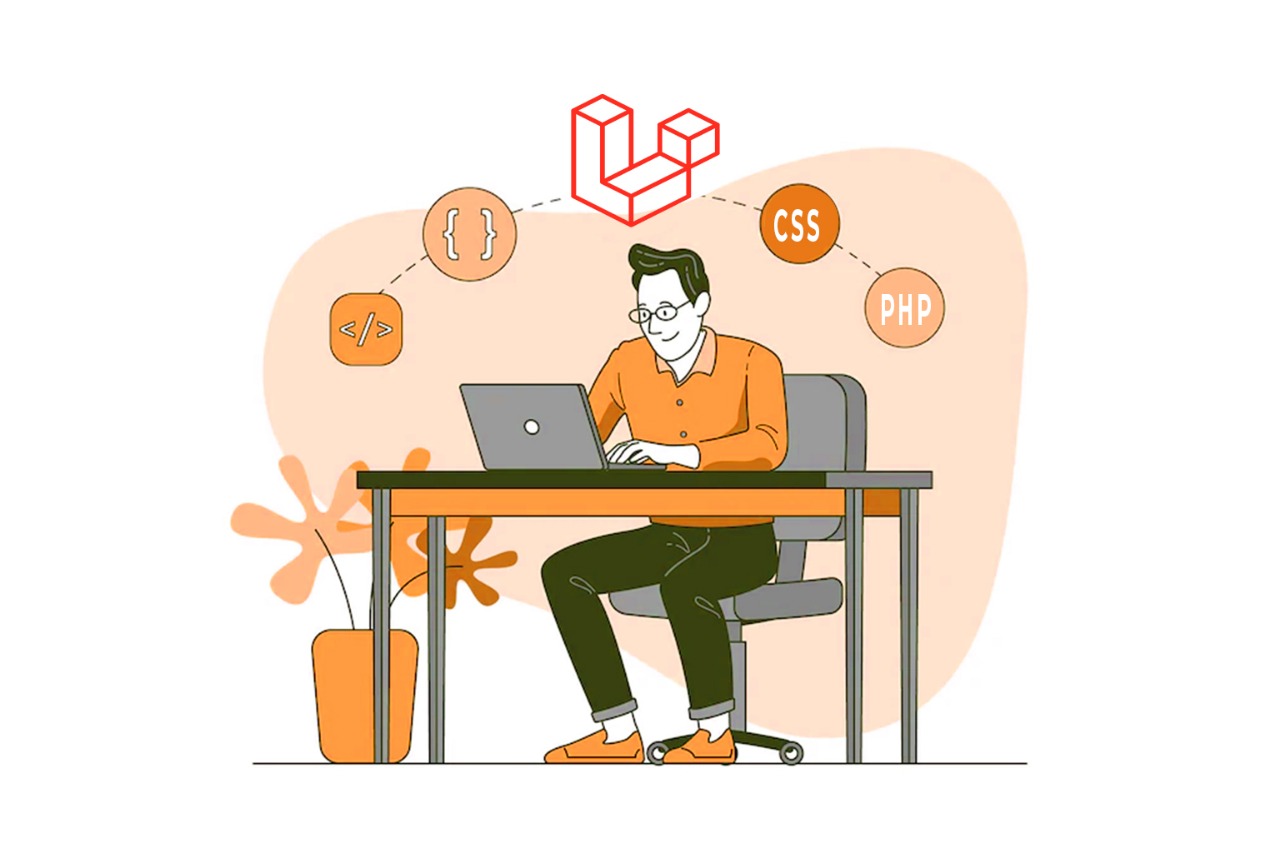
PHP is a well-known name in web development technology. Nearly 77.6% of websites employ this server-side scripting language. This demonstrates PHP’s undisputed superiority in web development. It provides several frameworks in addition to the many advantages. But when it comes to the best, Laravel tops the list.

It has greatly increased in popularity during the last few years. This open-source platform makes web creation easier and less complicated. It provides a lot of advantages and is quick and safe. It eliminates the difficulties of managing intricate PHP code.

With these advantages in mind, let’s learn more about Laravel and discover what makes Laravel development so popular.

Also, find out why PHP is popular among developers in our other blog.

Laravel – Overview

This server-side platform uses the MVC design pattern to manage the data as it is a cross-platform web development framework for creating online apps. It provides a wide range of capabilities to enhance the web development process.

Laravel has a stronghold on the programming side of the world as the most popular websites, such as Invoice Ninja, Bar chart, Laracasts, etc. were built using it.

Why Should You Choose Laravel Development?

Benefits:

– Better Security

The use of Laravel makes easy and convenient implementation of a full authentication system. It has comprehensive security features that are simple to deploy, improve security, and shield online solutions from hackers.

Additionally, the framework employs the B-crypt hashing Algorithm which hashes and salts the pass-keys and ensures security. All of this combines to make using Laravel website development services a safe method for creating online solutions.

– Traffic Handling

The amount of visitors to your website increases as your business grows. Laravel eases your mind about the procedure. A message queue mechanism for load balancing is supported by Laravel, which aids in efficient traffic management. Compared to websites built with other programming languages, Laravel-based websites respond to queries considerably faster.

Additionally, this unique queue system delays the time consuming functions like “email sending”, which results in faster loading website. This is another benefit of developing websites with Laravel.

– Easier Unit and Automation Testing

Accuracy test is must before delivering the bug-free and bespoke web development project. Because Laravel supports automated testing, testing the web application takes less time.

On the other hand, its unit testing function enables the test of every module or component, resulting in streamlined code and high-performing online applications. When discussing the bespoke Laravel development, simpler testing methodologies are really beneficial.

– Based on MVC Architecture

The Model-View-Controller (MVC) architectural pattern makes sure that the model’s (data processing, logic) and view’s (UI) interactions with the controller are coordinated

Due to Laravel’s MVC foundation, speed and scalability are improved. Additionally, it enables you to change the view component without changing the model. It makes changes more practical.

– Faster Time-to-Market

Laravel has a number of pre-built features that make the process of creating web applications faster. It eliminates the need to create lengthy code, accelerating the development process and facilitating the speedy completion of projects.

Laravel is an open-source framework that includes a ton of blogs, tutorials, and debugging techniques. Therefore, assistance is always accessible if you run into problems while developing. It swiftly rose to the top of the list of today’s most user-friendly frameworks.

– Cost Effective

Since Laravel is open-source, there are no costs associated with using this framework at all. It includes a collection of integrated programs that are free to use.

The only thing left to do is pay the Laravel Development Company. The amount of custom Laravel development you require, the complexity of the features your site will have, and the overall number of pages will all affect their prices.

Features:

– Eloquent ORM

The Laravel framework comes preloaded with an object-relational mapper (ORM). By displaying data as objects, it makes processing database entries easier. This feature makes simple and easy to communicate with a database. It makes easier syncing several databases that are running on various systems.

Additionally, there is no need to write SQL queries. Eloquent will take care of the rest; all you have to do is define the database tables and the relationships between them.

– Blade Template Engine

Laravel comes with a straightforward yet capable templating engine. You are free to use raw PHP code in your templates. It makes it simple to construct syntax and enables you to utilize the template engine with ease. This templating engine has its own framework, which includes conditional logic and loops.

– Object-Oriented Libraries Support

In comparison to other notable PHP frameworks, Laravel offers a strong collection of OOP libraries. Active user monitoring, an encryption mechanism, and password resets are just a few of the exceptional features offered by these libraries. They speed up and simplify the web development process by integrating them with other pre-made functions and Laravel structures.

Conclusion

Laravel is a web application dependable framework with a straightforward yet effective templating engine. Because of this, complex layouts are simple to develop. Data security is further ensured by its built-in security mechanisms. Regardless of the scale of your web development project, you may invest in PHP development services to leverage the Laravel’s advantages.

For excellence and affordable web development, remember one of the best Web Development Company in Nepal.

Find out more about other tech articles here.

Contact Here.

WordPress 6.1 Improvements could Quickly Improve Enterprise Sites

We’re thrilled to highlight some of the significant user and development changes in WordPress 6.1, which was launched earlier this month. Following the main release of 6.0, 6.1 includes many enhancements geared toward developers as well as a number of more minute adjustments.

Given the popularity of WordPress, it’s fair to assume that the most recent updates raised the bar for the web as a whole. WordPress’ performance is enhanced at the core and because of this enterprise engineers continue to build on what is now feasible.

WordPress 6.1 Improvements

Database Performance Improvements

WP_Query caching

The outcomes of database queries are now cached by WP Query. This is particularly crucial because every time a page loads, many WP Queries are running. And this will lessen the burden on the database while improving performance for websites with the default configuration.

According to frequent core contributor Jonny Harris, “for those using persistent object caching, this will mean that the database query will not run again until caches are invalidated, resulting in many fewer queries to the database.” His post on “make.wordpress.org” article look like this:

REST API Improvements

REST API improvements have contributed to some of the performance improvements. Now that the Posts controller has been changed, all necessary caches will be primed in a single database query (rather than up to three), and the prepare links method will only be invoked when necessary . This is made possible via new helper functions:

  • update_post_author_caches (takes an array of posts and primes users caches in a single query)
  • update_post_parent_caches (takes an array of posts and primes post parents in a single query)
  • update_menu_item_cache (takes an array of posts and primes post / terms link to menu items single query)

For more details, take a look at the official performance field guide.

Publishing Experience

WordPress succeeds to put its name into one of the most effective tools for web publishing for businesses. The publishing experience has been improved in WordPress 6.1 in various fun ways that help content teams create content even more quickly, like:

  • Fluid typography

This lets theme makers configure text to automatically scale based on the screen it’s viewed on.

  • Inner block editing

It’s now easier to edit content within Quote and List blocks, for example, shuffling points around in a list.

  • Spacing visualization

A real-time visualization of padding and margin attributes now makes applying spacing much easier.

  • More advanced Comments block

Improvements to the Comments block gives users more advanced editing controls.

  • Heading block font family support

More options are now available for heading type in your content.

Developer and agency enablement through documentation

The documentation for WordPress in this edition is among the most comprehensive we’ve recently seen. As a result, freelancers, developers, agencies, and others should be able to get even more value from both new and existing features and create sites that are more engaging, useful, and effective for business clients.

Dive into the documentation for WordPress 6.1 here.

Contact Us  if you are interested in developing websites for your business.


Website Development: Website is an Asset for any Businesses. How?

*- Are you trying to find some solid reasons why you should do website development for your company?

⇒ Excellent, you have exactly arrived where you should be. This article explains the significance of website development, as well as the many reasons why it’s important and how it may be the best asset for the company.

*- Do website development so crucial for the online presence? This is the question you need to ask as the company owner.

⇒ Let me make this clear to you. Frankly and truthfully speaking, users generate opinions about your website in roughly 50 milliseconds, deciding whether they like it or not.

As the internet continues to expand every day, more individuals are searching for products or at the very least visiting websites that might interest them. This increases your customer base potentially. Your website needs to be user-friendly, simple to use, and informative in order to attract those individuals. Therefore, you must make sure that your website is well-built.

The website plays a crucial role in helping the company grow immensely since it provides a 24/7 online presence, establishes credibility and builds trust, increases exposure, engages in marketing, and does much more.

It is not easy to develop a website, there are a lot of things to be taken care of. Everything must be considered for successful website building, including color schemes, content, graphic layout, hosting, SEO, and more. As a result, companies hire a qualified Web Development Agency to assist them in developing a website that is specifically designed to meet their demands.

Website Development?

Website/Web Development is a process of building a website where multiple things go in like graphic design, programming, hosting, and other required components. With the help of a web design consultant and the website development company you hired, web pages will be built with original material tailored to the needs of the website owner’s company. In general, those companies who has product or services to sell online, must build a website and offer their goods or services online.

Website Development Importance for Your Business

Solid Online Presence

A website’s accessibility to anybody, anywhere, at any time is one of its key benefits. It is no doubt that people are increasingly using the internet and shifting online more and more these days. A website also helps you establish a strong internet presence. Even if your goods and services are excellent, you won’t be able to attain the success you desire if no one knows you even exist. So, here website works as a messenger that you exist online and anyone can communicate with your company and its products or services.

Improved User Engagement

People no longer visit physically to any business because of how the times have changed. Most customers in this day and age now shop online. As a result, companies are urged to create excellent websites. Additionally, businesses may keep clients updated at all times through websites and user participation. Customers will be the first to learn about anything new is introduced, pricing adjustments, etc.

Impression for Customer Service

No matter what, customers evaluate how you could treat them depending on your website. The way your website is designed reveals how you view your audience. The audience feels more comfortable and at home with the websites that are easy to use. Therefore, as a business, you must concentrate on developing a quality website if you want to create a positive impression of your customer service. Otherwise, they will switch to the websites of other companies.

Better Brand Image

In the cutthroat business world of today, brand image is important. Whatever your business, you need a strong brand to stand out from the crowd and get clients’ attention. Having said that, building a website is a terrific method to give your business a distinctive brand identity. A logo, photos, and other visual elements on a website may reflect a distinctive presence for your company and set you apart from competitors.

Enables Wider Reach

Today, it is crucial for companies to reach as many clients as possible. However, the most fundamental and popular method for companies to reach a larger audience internationally is through website development. Companies may reach a wider audience and draw in all potential leads and customers with the aid of a solid website. The greater the business’s reach, the more it will be able to win client’s respect and trust that results in increasing sales and profitability.

Cost-Effective Solution

Running any business in the modern digital age without a website is akin to warmly welcoming failure to your door. Website Development is a solution that is cost effective. Focusing on structuring of the content throughout website development will help you save a lot of money. Nevertheless, for small and large businesses alike, as well as startups, website development may be both profitable and cost-effective. In a gist, website development is affordable.

Maintains Consistency

It’s not simple to generate fresh leads for your companies. Getting excellent leads and converting site visitors into devoted clients need a lot of work. How do you do that? The answer is simple, you maintain consistency. Website development is the greatest approach to establish and keep uniformity across all pages of your website. Visitors are more likely to feel linked when all of your pages have the same design, layout, style, and fonts. Additionally, it aids in recognition of your brand.

Helps in SEO Strategy

SEO has become an essential component in the creation of websites in today’s content-driven environment. Today, every company aspires to rank high on search engine result pages (SERPs). Nevertheless, this all can be achieved through web design and development. The variables may include page load time, keywords & image optimization, navigation, linking, and many other things.

Maximum Sales and ROI

Whatever your company’s overarching purpose may be, all businesses share the desire to boost sales. Increasing sales may help businesses generate a higher return on investment and increase their profits. As, the majority of the audience is online, and the website may assist you in attracting a growing number of customers to your business. Additionally, there will be more growth to online transactions.

Final Thoughts

Since the internet is still evolving at an unparalleled rate, businesses who want to succeed online must develop creative online marketing strategies. The importance of websites in today’s corporate growth has thus been established. The creation of a top-notch website ought to be your first priority if you want to help your company achieve its greatest achievements.

Therefore, don’t wait any longer and start creating an easy-to-use website for your company with best website development agency in Nepal.

Why you should Optimize Images for the Web?

Optimize Images for the Web

Optimizing a Website is directly related to optimizing images. Almost all websites have images as a necessary component, which improves the user experience for visitors. Modern fashion favors huge photos, yet photos with higher resolution are larger in file size, and this results in slower loading of web pages. Most of the time, a slow website has the unintended impact of reducing the desired user experience. The primary reason for a slow website is its enormous picture size. Because of this, you should optimize your images by reducing their file size to hasten the loading of your web pages. The most popular image compression techniques which are typically carried out by a plugin or script will be covered in detail in this article.

According to HTTP Archive, images account for about 25% of a webpage’s overall load. Images and video files should therefore be among your priorities if you choose to optimize your website. They are just as crucial as JavaScript and third-party tools (like bots, and analytics). Although the image optimization procedure is not difficult to implement, many people choose to neglect it.

Question:  “Are there any other advantages to having optimized photos on your website?”

Answer: “Yes, there are a variety of advantages to optimizing photos for improved performance.”

Advantages to optimizing photos

  1. Improving Website Load Speed

    The time it takes for a web page to fully load is known as page load speed. It relies on a variety of variables, such as the hosting of your website and its structure & design. The user preference is for websites that load in under two seconds. Given that photos make up the majority of a website’s weight, optimizing them will significantly increase your website’s speed. It ensures a smooth experience for visitors to your website, as this will increases the number of users that interact with your services.

  2. Improving SEO rank

    Your website appears better in search engine results with optimized images. Large files cause websites to load more slowly, and search engines despise slow websites. To index and crawl optimized photos more quickly, Google is also likely to do so. A Google Analytics plugin can be used to check the volume of Google image searches.

  3. Boosting Conversions.

    When you think of redesigning the website to boost conversions and expand your clientele then you must optimize the images of your website. You will greatly assist customers in finding the things they are seeking by offering a user-friendly website speed. Customers will be more devoted and more likely to convert and visit the website again. A satisfied consumer is hardly a myth, especially for websites that offer an excellent user experience.

  4. Reducing Bounce Rate.

    This is accomplished by optimizing the images on your website, increasing the speed at which the page loads, and enhancing the user experience as a whole. If your page loads quickly on all devices, users will visit it frequently. Users are more inclined to leave slow websites, it has been demonstrated. 25% of users leave websites after 2.5 seconds of loading time. If a consumer has a quicker experience on your website, they are more likely to visit time and again. This is because your page load speed boosts the return rate. As a result, page load time affects user happiness; nevertheless, page load time can be increased by optimizing online graphics.
    ⇒ For the majority of browsers and network devices, using less bandwidth is preferred.
    ⇒ Reduce the amount of storage on your server (this depends on the number of optimized images you used on your website).
    ⇒ Quick Backup and smaller image file size result in an easy backup. Finding a balance between small file sizes and high image quality is the basic objective of image optimization. There are various methods for optimizing photographs. One well-liked method is to reduce their file size before publishing the images online. And another way is using plugins or a program like ImageOptim that can perform compression.

Advantages of Image Optimization

  • Reduced Bounce Rate.
    No need to wait for the website to load means fewer users impatiently abandoning your site.
  • Better Google rank.
    Bots are more likely to index images they deem better optimized and user-friendly.
  • Improved User Experience.
    Better load times offer a seamless user experience and reduce unpleasant waiting.
  • More sustainability.
    Images with reduced file size mean less bandwidth use and less energy consumed.
  • Faster Backups.
    Images that don’t weigh down your website will be easier and faster to copy.

File Types and Image Compression

The two fundamental factors to think about are the file format and the kind of compression you employ. You can reduce the size of your image by up to five times by utilizing the right file type and compression technique. Select the optimum file type before performing picture compression. To find the optimum file format, you’ll need to experiment with a few.

You can select from the following file types for use on websites:

⇒  JPEG

24 bits per dot are supported where brightness, blue, and red uses 8 bits respectively. JPEG is referred to as the “genuine” format because it exhibits the image as accurately as possible. In terms of usage, it uses lossy and lossless optimization.

⇒  PNG

High-quality images are produced; however, the file size is greater. It was developed as a lossless image format but is also capable of lossy compression. PNG files are required if the image has translucent areas and JPG is preferable if it does not.

⇒  WEBP 

Google created this file format, which can handle both lossless and lossy compression. Compared to JPEG and PNG, it can lower the size of an image file while maintaining quality by up to 35%.

⇒  SVG 

This is a Two-dimensional vector format created by the W3C. Vector forms, raster (bitmap), and text can all be found in SVG files. With this format, compression is lossless.

Lossless compression refers to a process whereby an image’s size is decreased without compromising the image’s quality. This will always be true, regardless of how often you compress and decompress an image; both the data included in the image and its original quality will always be the same.

Lossy compression is a sort of compression where the quality of the image file declines with each image compression and decompression and it displays worse and worse data. Lossy compression’s main benefit is that it can significantly reduce the size of image files. Let’s say you have 2 MB size images and this can reduce up to 200 KB.

How and when should compression be used?

You can choose between these two compression techniques based on how much detail has to be preserved in a particular image. Lossless compression is preferred if you wish to maintain your images in their original quality and size while storing them.

Image Optimization Options

Manual Compression

You can experiment with various file types and use the “Save for web” feature that some photo editors have like Adobe Photoshop. Experiments can be done to find out the ideal ratio between file size and quality loss. If an image on your website takes a long time to load, you should either lower the resolution, apply compression, or possibly even do both. The TinyPNG online service, which may further reduce the size of PNG and JPEG images, is another resource that could be useful. The benefit of this service is that it can simultaneously optimize up to 20 photos.

ImageOptim tool

It is an application for macOS that allows for quick picture compression; all you have to do is drag and drop image files there to have the original files replaced with optimized versions. It also features a variety of settings for optimal preferences. With no file size restrictions, it is free. Many design firms use this app.

Using ‘srcset’ attributes

This allows for the division of the original, typically images of large size into smaller ones. With these features, mobile devices can use 720px images instead of the original 1920px wide image, which is more than suitable for them and is also obviously lighter in weight.

Automatic Optimization for Content Management Systems (CMS)

Numerous plugins for various CMSs are available that automatically optimize images as they are uploaded to the server. ShortPixel image optimizer, Imagify image optimizer, EWWW, etc., are the most widely used plugins. We advise reading the plugin’s documentation before selecting it so you can understand how it operates as some of them can be problematic. Though these plugins have a free trial version that supports limited images, for the rest you have to pay charges frequently. Since image compression places a significant burden on the server’s CPU, the majority of server providers do not provide automated compression of uploaded photos; instead, plugins perform this function on external servers for which they charge a fee.

Lazy Loading

Lazy loading is an additional technique for accelerating the loading of images. This method optimizes the content that is first displayed to the visitor and delays the download & display of the content. For the lazy load to function, a web browser must first load text-only information without any accompanying graphics or videos. When a visitor scrolls down and views that section of the website, the download, and display of subsequent photos and videos will begin. Every website has the crucial feature of lazy loading. It can delay downloads until you need them which prevents all of the images from being downloaded at once when you first view the website.

A sitemap should contain the images. It is a good idea to incorporate images in your sitemap because it aids web browsers in locating new information. In Google’s picture search results, which make up around 10% of all search traffic, photos will now surface more quickly as a result.

What makes Genesis Web Technology different from the competition?

Your web pages will load more quickly if you select the appropriate format and optimize the photos for the best results. Visitors and web browsers will appreciate this and will thank you for it. So, uploading images with the appropriate file sizes and image dimension is a must. These two elements are crucial for image optimization.

As you are the owner of the website, you can minimize load times by optimizing your website’s photos. Knowing when to utilize a JPEG, PNG, WEBP, or SVG is a crucial component of a smart design strategy because it allows you to drastically cut file sizes and improve the user experience while browsing your website.

Genesis is one of the best Web Development Company in Nepal, and we look each and every section in detail so that your website never stays behind your competitors. Trust You, Trust Genesis.

Which is better ? Flutter or Native App Development

Google announced the mobile UI framework in 2017, named “Flutter“. It is free and open-source and also gaining quick popularity for the creation of mobile apps.

Apart from other benefits, Flutter benefits with the use of a single codebase where developers can create mobile apps for both iOS and Android simultaneously. There is no added time and expense of creating two separate apps with different codebases for each platform. Flutter apps seem as close to native as they can.

This article will focus on the comparison between native mobile app production and Flutter app development, its technology, & advantages.

Flutter

Flutter is open-source and free. It has a common codebase and a user-friendly UI framework, making it easy for any developer to utilize when building apps for many ecosystems, particularly iOS (Apple) and Android.

The Foundation of Flutter is the Dart programming language, developed by Google in 2011. Since then, it has advanced significantly, and it can now be used in conjunction with other programming languages to create unique apps using Flutter.

Flutter Technology Usage and Importance For App Development

Many brands & companies like Google, Groupon, Square, eBay, BMW, Capital One, Alibaba Group, and countless other organizations use apps made by Flutter and Flutter for app development. Many App Development Companies with their clients have mentioned tons of benefits of Flutter.

Real-time compilation:

Flutter got a Hot-Reload feature that lets the developer see changes in real time. There isn’t much time between making changes and seeing them reflected in the application. Naturally, substantial changes require reloading the program.

However, smaller UI-based design adjustments can be accomplished instantly. Clients can more easily see what you’re working on without having to wait for a lengthy compilation to go up.

Learning and Using is Simple and easy:

Flutter is user-friendly and the modern-day framework. Without writing tons of new code or dealing with coding trouble, developers may design mobile apps that feel and look like native apps.

Well Documented:

Flutter’s Documentation is well managed and contains a lot of information in contrast to some open-source projects. Also, it has primary use cases and provides answers to any queries one could have during the development of the app.

Ideal for MVPs:

Flutter reduces the time taken to develop a mobile app. This will help in quicker speed to market and at a lower cost app will be ready to publish. This is a significant benefit for businesses wishing to develop a mobile app at a reasonable cost as well as startups building MVPs.

The essential beauty of Flutter is that no any users will be able to tell the difference between a Flutter app and a native app. It will appear and feel the same to the user.

Flutter vs. Native Mobile App Development

Flutter is supported by a vibrant developer community and two popular IDEs i.e., Android Studio (IntelliJ) and VS-Code. Additionally, adopting Flutter eliminates the need to independently design apps for each platform. Instead of having numerous teams, the same app development team might work on and deploy one app for each client, charging the client extra money in the process.

Flutter saves both time and money of the clients and nothing could be better than this advantage. Along with having many capabilities that feel organic, it also has a stunning user interface for creating and designing apps. As a result, once an app is released, clients will not only appreciate it, but it will also be simpler to maintain and make improvements when new features and upgrades are required.

In contrast, creating native apps is more difficult and expensive. An app will take longer to deploy if its development costs are higher. Additionally, since they won’t be using the same codebase, more things can go wrong when creating an app for many platforms.

All Rounder Solution

A flutter is a fantastic tool for creating mobile apps. Over 2 million developers have used it to date, with at least 500,000 using Flutter each month, from indie games to applications produced by well-known worldwide corporations.

When Flutter 3.0 was released, it offered more options for many platforms. Now, programmers may create applications for Windows, macOS, Linux, iOS, Android, and the web. Now that developers can create apps for both web-based browsers and mobile platforms, they are even more useful.

In the gist, it is believable that Flutter is what you need for app development. It is for sure that apps created with Flutter help businesses gain more.

Genesis can offer you a committed group of knowledgeable native and Flutter app developers.

To begin, Get in Touch with us immediately.

Startup Branding: Do You Actually Need It and How to Do it the Right Way?

Startup Branding

Startup Branding is important but most startups don’t want to invest in branding in the initial phase rather they put it off for the time being. In essence, the importance of startup branding is on par with that of established corporations, if not even more so. In this article, we’ll discuss the value of branding for new businesses and how a reliable startup branding company can assist you in developing the ideal brand identity.

About Branding

Generally, Branding refers to a marketing tactic that seeks to familiarize you with your target market while also assisting others in understanding and engaging with your message, products, and values. Your potential customers will be far more likely to select you over your competitors if you do this since you can make a lot better impression on them. Building your company’s brand entails coming up with a catchy business name, a distinctive logo, a message, and a variety of other designs.

The finished product or branding must accurately reflect the firm and the impression you want your clients to have of your enterprise. Additionally, as a startup, having a distinctive brand identity might help you attract potential partners who can speed up your company’s growth.

The Importance of Startup Branding

In actuality, many new businesses don’t bother with appropriate branding and instead choose to mimic their competitor’s identities or simply choose something generic. This could work as a temporary solution, but it probably won’t be enough to successfully market any products or services in the long run. Even if you offer the best & affordable prices, clients still make the majority of their purchases subconsciously based on brand associations and their perceptions of your company.

Even if your competitors have somewhat better pricing or more marketing expertise, if you work with a fantastic startup branding company, you will probably be able to win over clients.

This factor is particularly important for startups because the majority of their direct competitors are larger firms with greater resources, staff, and marketing expertise. However, with the appropriate identity, your startup may defeat large established companies/competitors and grow more swiftly.

Best Startup Branding Practices

branding comapny in Nepal

You must tell a Story about how it all started

Why did you initially decide to start a business? First, did you have any concepts for the logo? What or who motivated you at the time? You are the founder of your startup, so your story of yours may help in knowing the inspiration for doing this business.

This will be able to personalize your brand and bring a lot of anthropomorphous character to your business. People tend to relate more to the people behind the firms than the company themselves.

Create a Voice

It’s time, you thought about the tone of your brand. When you consider the mission of your startup, what is the first thing that comes to mind? Pick a few keywords that best describe your origin from the list of ideas that come to mind while thinking about the story we just discussed in the above step.

Choose a Name that will represent your Startup

The ideal name that will represent your company would be difficult to pick, but with the assistance of a reputable agency for startup branding, it is possible and easy too.

While picking the name, a few things need to be considered:

  • It should be simple to spell the name.
  • Also, it should be simple to remember.
  • Choose something that won’t limit your startup. Just imagine what would have occurred if Bezos had chosen the name “OnlineBooks” for his business rather than “Amazon“?
  • Confirm that the name is permissible to use so that you don’t have to deal with copyright matters.
  • Choose only if it is based on the tone of your brand.

Be clear about your Mission Statement

This should act as the cornerstone of your company’s internal culture going forward, which will also guide all of your marketing initiatives and products. Ensure that the tone of your brand and your mission statement is aligned.

Your company’s mission statement should outline all of its goals and how it hopes to benefit society.

Don’t overdo it; be succinct and utilize the absolute minimum to explain your company and the impact you seek.

Choose the Brand Color: the Right One

It’s not the ideal course of action in choosing your brand’s primary color from your favorite color list. Startup Branding is far more complicated than choosing a color, or name.

Instead, choose to make mood boards that may help you choose which colors will work best for your startup. Additionally, the tone of your brand may be able to assist you in choosing a suitable color scheme.

However, using the assistance of qualified designers from a startup branding company and their expertise in putting clients’ needs and words into colors would be helpful to you and the branding of your startup.

Design a simple yet catchy Brand Logo

Your startup company’s logo serves as the most identifiable representation of your brand identity and serves as the face of your company.

Creating a logo may be difficult, so unless you are an expert designer, you shouldn’t tamper with it. As far as you can, assist the professionals and let them manage the task. Talk to them about your ideas, and show them the collected logos as a part of reference or inspiration. This way they will be able to perfectly carve out your thought in form of a logo.

The logo with too many elements inside is not what people remember, rather the logo that is simple and clear makes its place in the viewer’s mind. So, ensure that the outcome is suitable, distinctive, and most importantly, simple.

Think and choose the best Typography

You simply cannot rely on your gut instinct when selecting the appropriate typeface to represent your business. You must consider context, function, and a plethora of other important elements.

The brand’s voice, logo, personality, color scheme, and other elements will all be important factors in determining the typography.

A graphic designer, much as they can with your logo, may be of great assistance to you in choosing the appropriate typeface. This is one of those chores that is best left to professionals for the best outcomes.

Make a Style Manual

Once everything is finished, it’s time to record all of your hard work in writing. This recorded list is what your style manual is.

What makes this so crucial? This book will essentially act as a law that establishes guidelines for anybody who ever works on your reputation and will aid future staff members in better understanding your internal culture.

Maintain Consistency

After you’ve completed the fundamentals of your startup branding, you still have a lot of work ahead of you. Fortunately, your brand manual or style manual will be useful later. Every additional item of media, including business cards, corporate t-shirts, posters, and digital assets like blueprints, tutorials, and whitepapers, should be in direct alignment with your brand identity.

This is why you must establish your style manual with accuracy and depth. With a strong brand manual, all design jobs moving forward will be simpler, and your designers will provide the essential visual identity efficiently.

Working With a Startup Branding Agency

As you can see from the above, there are several elements to developing a strong brand image that just requires the skilled touches of a professional. Thankfully, Genesis Web Technology can meet these particular needs and are expert at assisting businesses in developing their branding strategies.

How to work with an outsourcing company?

Outsourcing Services generally means giving certain tasks to an external organization at a given fee and for a defined amount of time. It is also a highly popular business practice. In reality, outsourcing for development is typically a procedure where particular tasks are given to skilled professionals to be completed faster, better, and less expensively.

This strategy’s recent surge in popularity is therefore not surprising. Not just because businesses are expanding and have more specialized demands, but also because it can be challenging to locate tech personnel for specific jobs. Economic considerations are, of course, the most typical ones used while making decisions.

What is outsourcing in business?

Nowadays, businesses may outsource the majority of their jobs and services. Of course, they frequently contract out IT services, such as programming, developing websites and applications, and providing technical support. Additionally, they are already aware that remote engineers and freelance coders work diligently to get outcomes.

And, believe it or not, outsourcing frees up financial, human, space, and time resources. This strategy truly has a significant influence on the company’s growth, productivity, and profitability. As a result, it lowers the company’s total costs as well as labor and tax costs.

Additionally, it enables the business to concentrate its resources on its strengths and give priority to its core competencies. This enhances productivity and raises the level of competition for the business.

Outsourcing offers the following benefits, which are most typically cited:

  • Minimal cost
  • Wide access to resources
  • Internal resources management
  • Improves customer and business focus
  • Accelerate the development of the project
  • Access to expertise and their ideas
  • Reduce the marketing time

What does exactly outsourcing service mean?

When a company needs IT results and resources, it may choose to outsource some or all of those needs to an external vendor. A company that provides IT services might be a full-service provider, a consultancy firm, a company that leases IT teams or people, or a single IT expert.

This strategy lowers IT expenses, makes use of highly trained tech specialists. Also, this will have a quicker time to market for goods and services. Companies that outsource their IT services may concentrate on their top goals and company expansion while leaving the IT-related responsibilities to the professionals. Without spending money on an internal IT staff, you may get the most of IT resources by partnering with an experienced and highly skilled external IT outsourcing company.

How outsourcing could benefit your business?

Companies that have made the decision to outsource their work should define their key expertise, resources, and competencies. In order to concentrate on being the greatest in their particular industry, they need also to choose which of their ancillary businesses, if any, must be outsourced.

They may become more adaptable and flexible with the aid of outsourcing. This can also help them cut costs and enhance their service levels.

And while businesses frequently see outsourcing from a standpoint of lower costs, it may offer much more than simple savings. A web outsourcing company may offer access to new capabilities as the business expands. This helps to reposition the organization in the market and fostering creativity.

Therefore, when considering how white label outsourcing might assist the business, don’t only compare the possible advantages of handling work with your present team versus the prospective expenses of recruiting outside freelancers. Keep your attention on the benefits that the contractor’s knowledge may provide the company. Outsourcing can present a chance to develop and beat the competition, whether by increasing offers or by bringing goods and services to market more quickly and broadly.

How and where should your website work be outsourced?

Companies typically outsource the creation of websites for the difficulty of keeping up with all the latest trends and advancements in development and executing it more affordably than the in-house staff.

Our company, Genesis Web Technology, was established to end the huge gap between companies and end-users just because of not having a website. From our years of experience, we believe that we can create any website or online shop in accordance with a variety of styles and features, it is simple and advantageous for agencies to entrust us with the coding of websites or web shops. Throughout the world, not limited to Nepal, we provide outsourced development.

As a result of our years of experience working as a website development partner for agencies, we have had the chance to increase our efficiency, know how we can contribute to the project’s success, and forge solid ties with our partners.

So, get in contact with us and become a member of our network of business partners.

Reasons for being PHP popular among Web Developers

PHP in website design and development is one of the hot topic, and also mostly preferred and used for developing websites as this language is one of the most esteemed and well-liked server-side programming languages. This has gained popularity among website developers due to its quick turnaround times, low cost, and improved security. The top companies like Facebook, Flickr, Wikipedia, and others use PHP.

Top Reasons

Let’s get an idea about the reasons for being popular among web developers.

Simplicity

Coding with PHP is mostly like essay writing, but here, the essay part is a block of codes that tells the computer how to build and operate websites as effectively as possible. Although some developers grumble that PHP’s simplicity prevents them from developing the coding habits that would otherwise simplify (read: standardize) writing. PHP’s simplicity also makes it possible for the code to be extremely individualized.

Free

Being an open-source language, PHP is free, simple to use, and has an enormous amount of documentation available, making it the most affordable way to build powerful websites and monopolize online real estate without worrying about contracts or paying membership fees. Additionally, PHP lowers entry barriers for novice website developers, enabling them to get started quickly by simply utilizing their coding abilities and expertise.

Excellent Performance With CMS

The most recent trend toward adaptable content has elevated CMS customization to the level of a critical competitive need for companies. The goal of adaptive content is to give each visitor to the website a unique experience by personalizing the material for them based on their sign-in information or previous visits. The website’s code must be adaptable and integrated with the CMS for this to be accomplished.

PHP renders websites amoebic, enabling their creators to change them as they like. Content Management Systems like WordPress, Joomla, Drupal, and others are largely based on PHP. All PHP websites are highly configurable and can be easily modified to match the requirements of the clients. As a result, creating or integrating a solid, bespoke CMS system with your website is easy.

Accepts Platform Diversity

The developer can smoothly connect the website across several platforms because PHP-created code can operate on all the major platforms. With the extra capability of integrating their website with MySQL and Apache, the firm can cost-effectively employ all current infrastructure, using systems as diverse as Windows, Unix, and Linux.

Powerful Flexible and Scalable

PHP is used by Facebook, the biggest and most effective social networking site. To address the growing demands of the industry giant’s content management needs, Facebook even developed a PHP derivative language called “Hack.” This demonstrates the degree of adaptability, dependability, and scalability that are incorporated into PHP. The major benefit of using PHP over other languages is that code updates may be made without having to restart the server.

Extensions and Add-Ons

One of the most flexible languages for creating websites is PHP. Since it’s an open-source language, its community of online developers is always working to create extensions to fulfill new business requirements. This makes it simple for developers and companies to create and add fresh functionality and features to their websites.

Embed-ability

The most recent development in adaptable content has increased the relevance of flexible websites and fluid grid systems for companies. When creating extremely dynamic and responsive websites, HTML5 is without a doubt the industry standard. This is where PHP comes into play as the language that makes it simple to embed code into HTML. By incorporating their PHP code into HTML, developers may quickly transform the static website code of an existing site into a brand-new dynamic one.

Larger Community

Being an open-source language, PHP has this effect. There is a sizable and expanding community of developers using the language that is eager to help out newcomers. They are actively interested in solving the most recent issues that the web development industry is now experiencing. In addition, developers are obligated to provide very competitive pricing due to the language’s popularity and the consequent availability of developers.

Huge Standard Library

The size of a programming language’s standard library is what sets decent programming languages apart from outstanding ones. The language’s capacity to handle data is greatly facilitated and accelerated by libraries.

Website loading time is vital in retaining visitors since they only spend an average of 8 seconds on each homepage when they are browsing (during the early “research” stage of the purchase process). Regular expressions, URL parsing, HTTP fetching, and database drivers are just a handful of the many features that PHP offers. Although the library is illogical, the community supports it!

Exceptional Performance Delivery

In addition to accelerating execution, PHP also accelerates development. PHP uses the Apache web server and permits apps to use MySQL databases, operating on a traditional web stack. This enables developers to construct custom, all-in-one solutions for online presence.

One of the key elements that improve the functionality of any website is turnaround speed. Fast turnaround times are what PHP is known for. Experienced developers may provide incredibly quick response times at very affordable prices. This is because of the extensive standard library, a wide selection of extensions, cross-platform capabilities, seamless connection with and modification of multiple CMS, and embed-ability. In addition, PHP-based websites have quicker data processing capabilities. They are compatible with all major operating systems, including Windows, UNIX, and so on.

Diverse Frameworks

PHP has a huge family of PHP frameworks, which enables it to produce output with incredibly quick turnaround times. Zend and Yii, two enterprise-level frameworks, Laravel and Symfony, two all-purpose frameworks, Phalcon and PHPixie, performance optimizers for quick application designs, and CodeIgniter, for more robust designs, are a few examples of these.


Conclusion

As was previously said in this article, PHP provides a lot of benefits for both individuals and businesses. It is also fairly popular, making it simple to locate developers that have experience working with PHP. Comparatively simpler and more flexible, its development is a process. Furthermore, it is quicker than the majority of other development languages, including Python.
So, if you require a custom-built website, PHP is the right choice. In case you need any professional support, feel free to connect with Genesis Web Technology.

Contact Us!
We will surely guide you and help you to build a successful website which is capable of fulfilling the requirements of your organization and helps in flourishing your business.

Responsive Web Design | Advantages and Drawbacks

Responsive Web Design

Responsive web design (RWD) is becoming a popular option for companies to use when building their websites. There are several justifications for this, but one of the strongest is that RWD provides a number of advantages that other design approaches cannot match. There are three most significant benefits of RWD that needs to understand by anyone.

Benefits of RWD

More involvement and reach

The ability for businesses to reach a larger audience is one of the responsive web design service’s main benefits. RWD websites are accessible on all devices, including smartphones, tablets, and desktop computers, allowing them to be used by anyone. As a result, your target audience will always be able to read and interact with your website, regardless of where they are.

An enhanced user experience

RWD’s has additional advantages that it enhance the enhance the user experience. This is so that they work well on any device and are user-friendly across all RWD websites. In addition to lowering bounce rates, this can increase user’s satisfaction levels.

An improved search engine ranking

RWD may also make it easier for search engines to locate your website, which is a last benefit. This is due to the fact that search engines now give websites that perform effectively on mobile devices a higher ranking. So if you utilize RWD, you can be confident that individuals who are seeking for goods or services similar to yours are more likely to find your website.

Businesses may profit greatly from implementing responsive web design overall. Utilizing these advantages can help your website reach a wider audience, provide users with a better user experience, and rank higher in search results. For more information on how RWD may benefit your organization, contact a web design company right away.

Responsive Web Design for a Website

RWD is an approach to designing websites that helps users to read and navigate easily. RWD adjusts the layout of a website depending on the device being used to view it. TCSS3 media queries, adaptable images, and fluid, proportion-based grids accomplish this.

  • Increased Mobile Traffic

The RWD is responsible for businesses to profit from the rising usage of mobile internet. The trend of utilizing mobile devices to access the internet is expected to grow, and it is already becoming more and more popular.

Businesses may guarantee that their website is accessible to this expanding population by embracing RWD when designing their websites. Businesses that depend on web traffic for sales and conversions should pay particular attention to this since failing to accommodate mobile users might result in a sizable loss of potential clients.

  • Improved SEO Rankings

RWD also has the potential to boost a website’s search engine optimization (SEO) ranks. This is due to the fact that Google and other large search engines now take a website’s mobile friendliness into account when calculating its ranking. If a website is not responsively developed, it may suffer in the SEO race.

  • Reduced Development Costs

Last but not least, responsive web design may assist in lowering the cost of developing a custom WordPress website. Utilizing a single responsive website allows for an excellent viewing experience across all platforms, rather than needing to create many websites for different types of devices. Considerable time and financial savings can be applied elsewhere in the company by utilizing a single responsive website.

Few Questions

What are the 3 basic things required for responsive web design?
An adaptable grid structure, adaptable pictures, and media queries are the three essential components of a responsive website. These three elements cooperate to allow your website to adjust to the size and resolution of the device it is being viewed on.

Does SEO suffer from responsive web design?
Although responsive web design services have no direct impact on SEO, they might still indirectly aid to raise a website’s ranks. This is due to Google’s recent change in how it ranks websites that are mobile-friendly. If your website is not responsively developed, it may suffer in the SEO race. It is possible that responsive design could lead to lower development expenses, which could then be utilized in other areas of the company, such as SEO initiatives.

What drawbacks exist with responsive web design?
The use of responsive web design has a number of drawbacks. The largest disadvantage is maybe that it might cost more and take longer to produce than conventional website design. Additionally, responsive websites can have less visual appeal and slower loading times than those created expressly for mobile devices. Last but not least, not all organizations are suitable to a responsive design; those with extremely complex or specialized websites may discover that the expenses of RWD exceed the benefits.

Conclusion

Due to its numerous advantages over other design strategies that other firms cannot match, responsive web design is becoming a more and more popular choice for companies. In this post, we looked at three of the main advantages that RWD may provide organizations. These advantages include higher search engine rankings, increased consumer happiness, and enhanced website usability. Responsive web design can be the answer you’ve been seeking for if you want to enhance your website and draw in more visitors.

For anything related to Web, remember us!

Let's build together

Ready to transform your business? Let’s discuss your project and create something extraordinary.

Get in Touch
Talk with an expert +977 9851127307
Email us directly [email protected]
Visit us at

TJI Building - 4th Floor, Namuna Marg, Babarhamal, Bijuli Bazar, Kathmandu 44600

Our process
1
Discovery call

We discuss your needs and goals.

2
Proposal

Custom solution and timeline

3
Development

Agile development with regular updates

4
Launch

Deployment and ongoing support

×